FRAME 08 - CULL · LIGHTROOM CLASSIC + IPHONE
Stop culling at your desk.
Send a shoot from Lightroom Classic, swipe it on the couch, and every pick, reject and star is on the right photo before you sit back down. 300 frames in one flight, wifi off.
FREE UP TO 100 PHOTOS A CULL, ONE CULL AT A TIME · $29/YEAR RAISES IT TO 5,000 · OR $5/MONTH →
LIGHTROOM CLASSIC 6+ · MACOS · IPHONE (iOS 17+) · WINDOWS - REQUEST IT →



SWIPE ON THE PHONEFLAGGED IN THE CATALOG
SEE IT IN ACTION
Desk to sofa
in 86 seconds.
CLICK TO PLAY - 86 SECONDS, WITH SOUND, CAPTIONS ON SCREEN
Read the transcript
The video is narrated, and the narration is also captioned on screen. This is the full spoken text:
- It's the end of the shoot day, and the worst job is still waiting at your desk.
- Eight hundred frames, one arrow key at a time. Two hours in the chair, every single shoot.
- Thumbs is the round trip nobody built. Previews out to your phone, verdicts back to your catalog.
- Lightroom shows a six-character code. Type it into the app once, and that's the whole account system.
- Select the shoot and send it. Previews render and upload in the background while you pack up.
- Download it once over wifi and the whole shoot is on the phone. Airplane mode, the underground, anywhere.
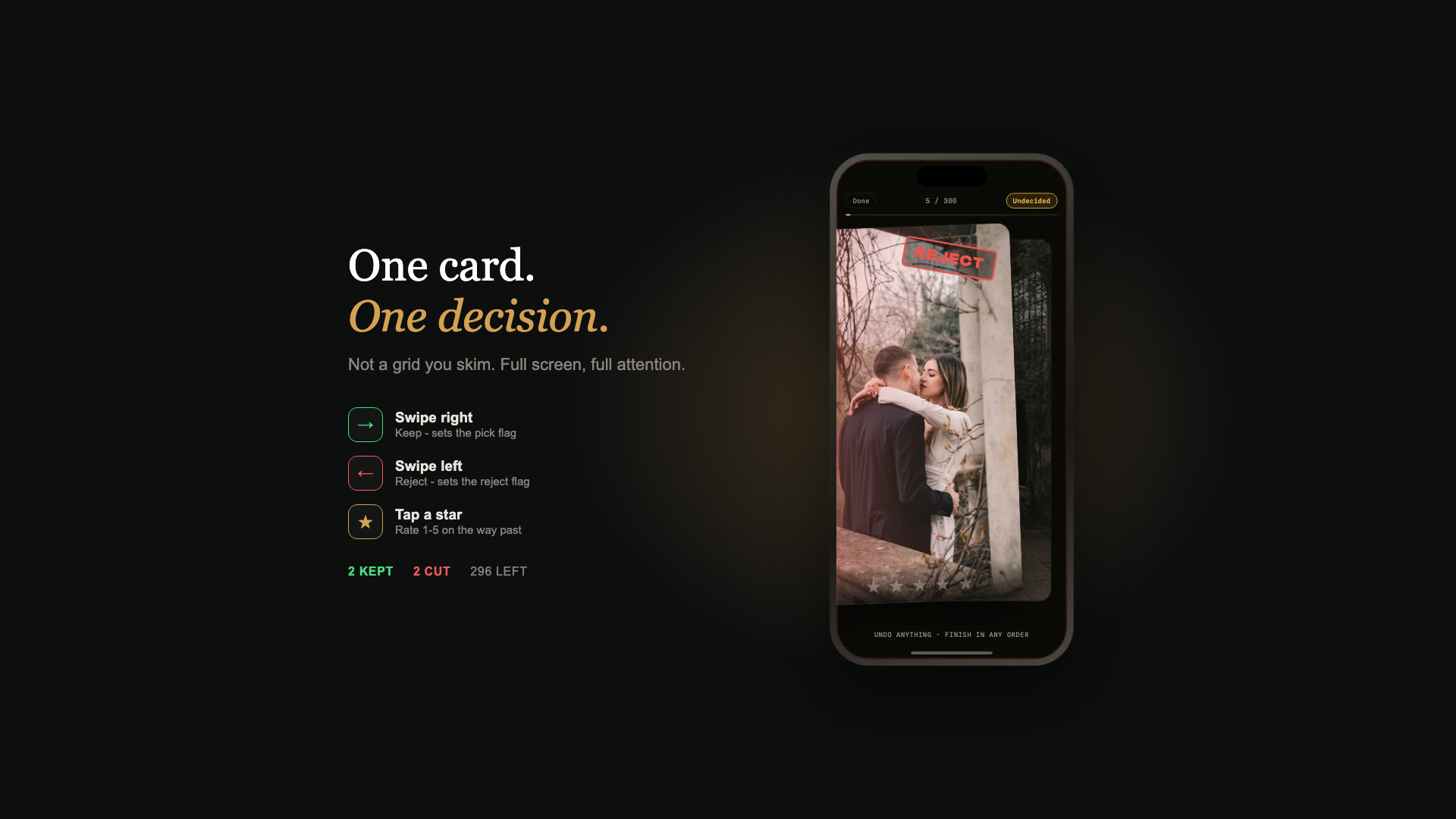
- One frame at a time, full screen. Right to keep, left to reject, tap a star on the way past.
- Press and hold, and a loupe opens under your thumb - so you can check focus without going back to the desk.
- Back at the machine, one command pulls it all in. Rejects flagged, picks picked, stars set.
- No account, no uploads, and your originals never leave the computer. Free up to a hundred photos a cull.
- Thumbs, at lightroom-tools.com. Your next shoot day ends on the sofa.
FEATURES - WHAT DEVELOPS
The first pass is the worst pass.
So do it somewhere better.
Swipe on the couch. Flagged in your catalog.
Lightroom pulls every decision back onto the right photos - reject flags, picks and star ratings, exactly where a desk session would have put them. Matched by the id your catalog already gave each frame, so a re-edit or a folder move cannot land a verdict on the wrong shot.
No signal? Still culling.
Download the shoot once over wifi and the whole thing lives on the phone. Swipe it in airplane mode, underground, or in a car park with one bar. Decisions sync back the moment you have a connection. Tested, not promised: 300 frames pulled before takeoff, 150 swiped at altitude.
Desk, phone, desk. One update, back in step.
Culling rarely ends in one pass. Fetch, rate a few at the desk, fix an edit, then pick the shoot up on the phone again. One update carries your new flags, stars and edits out, and brings anything you swiped since back in. Change the same photo in both places and the newer call wins. Part of the licence.
Press and hold to check the eyes.
A loupe opens under your thumb. Slide it across four faces in a group shot in one gesture and you know whether the frame survives - the check that usually sends you back to the desk.
No account. Nothing uploaded.
No email, no password, no sign-up. Lightroom shows a six-character code, you type it once, and the phone is paired. Only small previews travel; your originals never leave the computer, and every shoot clears itself off the server after 90 days.
Free for a session. $29 a year for a wedding.
The app is free, and the free tier covers one shoot at a time, up to 100 photos - a portrait session, end to end. The licence lifts it to 5,000 frames in a single shoot, with as many shoots waiting on the phone as you like.
UNDER THE SAFELIGHT - WHY IT'S DIFFERENT
Every culling tool makes the desk faster. This one lets you leave it.
You already have fast ways to cull. Photo Mechanic rips through a card, the Lightroom grid does the job, and both are worth their reputation. What none of them change is where you are: sat at the machine, on the evening of a shoot day, doing the least creative work of the whole job. The other option is the cloud version of Lightroom, which does reach your phone - but only after your originals go up to Adobe and your Classic catalog stops being the one that knows the truth.
Thumbs is the round trip nobody built. Small previews go out to your phone, you swipe them anywhere at all, and Lightroom Classic pulls the verdicts back onto the exact frames they belong to. Your originals never move. Your catalog stays the only catalog. And the first pass gets done in the hour you were going to spend on the sofa anyway.
Not sure the desk time is worth solving? Put your own numbers into the free culling time calculator - it takes three sliders and no email address.
HOW IT WORKS - THREE MOVES
Send it. Swipe it.
Fetch it.
Send
Select the shoot in Lightroom Classic and send it. Previews render and upload in the background while you pack up.
Swipe
Open the phone wherever you end up. Right to keep, left to reject, tap for stars. Undo anything, finish in any order.
Fetch
Back at the machine, one command pulls the verdicts in. Your rejects are flagged, your picks are picked, and the edit starts.
FAQ - BEFORE YOU SIGN UP
Frequently asked
questions.
How is this different from culling in the Lightroom grid or in Photo Mechanic?
Those are fast, and they are not going anywhere - but they both keep you in the chair. Thumbs does not try to be a faster grid. It moves the first pass to the place you already sit at the end of a shoot day: the couch, the train, the passenger seat. The keeper rate is yours either way; the difference is where the hours go.
Doesn't Lightroom already sync to my phone?
Yes - the cloud version of Lightroom does, and Classic can too: sync a collection and Classic uploads Smart Previews (not your originals) to Adobe's cloud, and the flags and stars you set in the Lightroom phone app come back. If that already works for you, use it. Thumbs is the lighter path for the cull itself: no Adobe sync to switch on, small previews out, only flags and stars back, and nothing else in your catalog changes.
What lands back in Lightroom Classic?
Reject flags, picks, and star ratings - exactly where a desk session would have put them. Each photo is matched by the id your catalog already gave it, so a re-edit, a rename, or a folder move between sending and fetching cannot put a verdict on the wrong frame.
Will it touch my photos or my edits?
No. Your originals are never modified and never leave your computer. The plugin renders small preview copies to send to the phone, and on the way back it writes flags and stars - the same fields you would set by hand. Nothing else in your catalog changes.
Do I need signal while I'm culling?
No. Download the shoot once over wifi and the whole thing is on the phone. You can swipe it in airplane mode, on the underground, or in a car park with one bar. Every decision is held on the device and syncs back the moment you have a connection again.
This is tested, not theoretical: 300 frames pulled before takeoff, 150 swiped at altitude.
Do I need an account?
No. There is no sign-up, no password, and no email address anywhere in the pairing. Lightroom shows a six-character code, you type it into the app once, and the two are paired.
What is free, and what does the licence unlock?
The iPhone app is free, and so is culling up to 100 photos, one shoot at a time. That covers a portrait session end to end.
The licence - $29 a year, or $5 a month - lifts it to full wedding size: up to 5,000 frames in a single shoot, and as many shoots on the phone at once as you like. It also adds Update Shoot on Phone: one command in Lightroom sends your new flags, stars and edits to the phone and brings back anything you swiped since. The yearly plan costs less than half of paying monthly. Cancel anytime.
Which versions and devices does it need?
Adobe Lightroom Classic 6 or newer on macOS, and an iPhone running iOS 17 or newer.
The plugin has no Mac-only code and should work on Windows, but it has not been tested there yet. Tell us if you need Windows and it moves up the list. There is no Android app.
What happens when I give you my email?
Thumbs is out, so there is no launch list to join any more. Tick the box and you get the occasional note about new tools and tips; leave it unticked and we do not email you at all. Unsubscribe any time. See our Privacy Policy.
THE PRINT - OUT NOW
Your next shoot day ends
on the sofa.
The plugin is a free download and the iPhone app is free in the App Store. Culls up to 100 photos cost nothing. A subscription - $29 a year or $5 a month - raises that to 5,000 a cull, as many culls as you like.
- Free app, and free up to 100 photos a cull
- No account, no password, no email to pair a phone
- Your originals never leave your computer
You're on the list. Every email has a one-click unsubscribe.
LIGHTROOM CLASSIC 6+ · MACOS · IPHONE (iOS 17+)