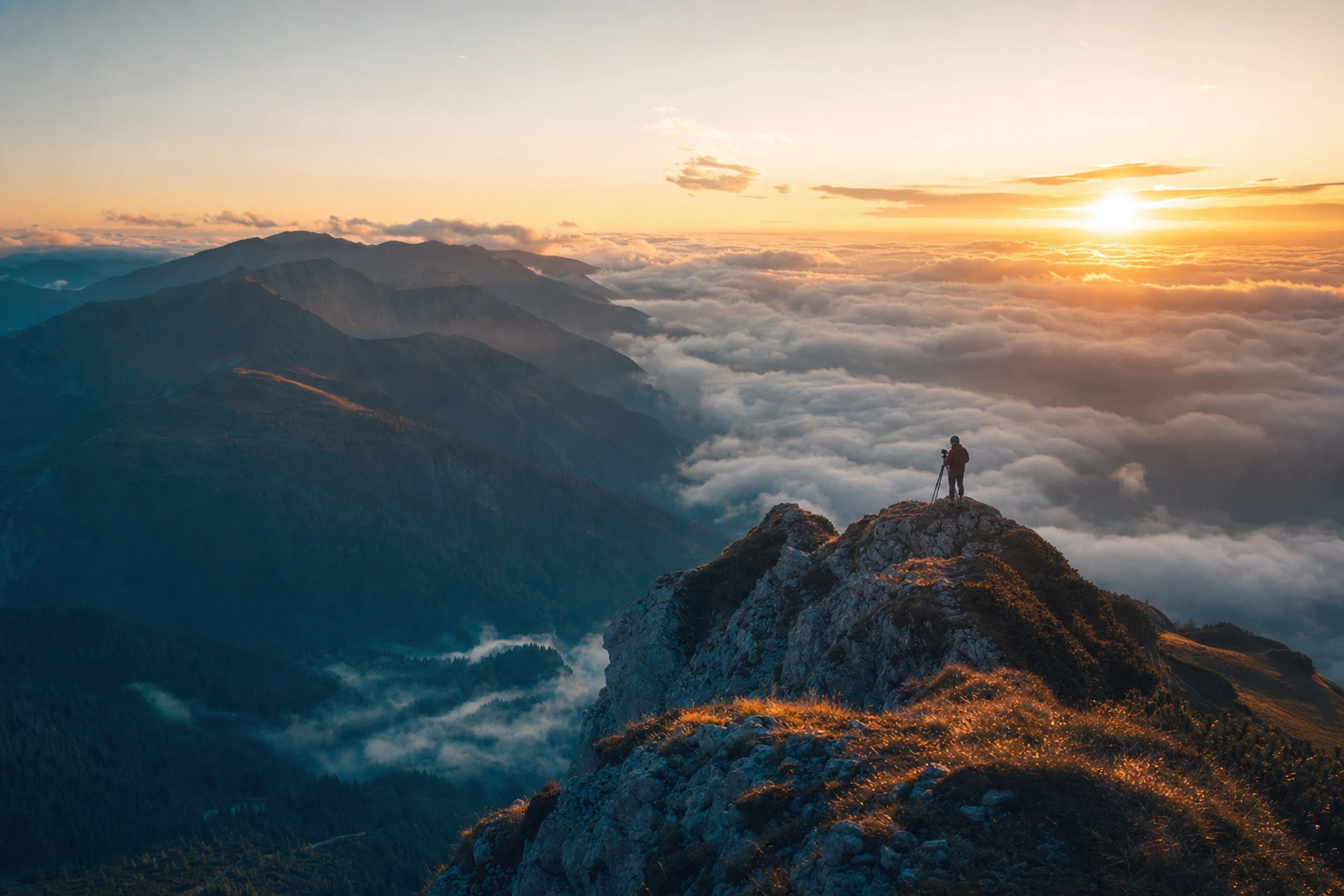
LIGHTROOM TOOLS · NATIVE PLUGINS FOR LIGHTROOM CLASSIC
Publish, tag, search, share.
Without leaving Lightroom.
Lightroom Classic perfects the photo. These plugins finish the job - publish, tag, search, plan, grade, and share, straight from your catalog.
Graded in one scroll. Your workflow deserves the same care.
CONTACT SHEET · NEW HERE? START WITH 01
Pick a frame.
Each installs in minutes.
Frame 09 - compose
-
09Collage StudioNEW
Your selection, laid out as print-ready collages.
LAUNCH PRICE
Price from Nov 1: $49$25 Frame 08 - cull
-
08ThumbsNEW
Cull a shoot on your phone. Flags land in Lightroom.
LAUNCH PRICE
Regular price $10$5/mo orRegular price $59$29/yrFree to start · $2.42/mo billed yearly Frames 01-03 - publish, tag, search
-
01Google Photos
Edit. Re-publish. The album just updates.
PRICE RISES NOV 1
Price from Nov 1: $39$19 -
02Face Tagger
Every face in your catalog, named. Locally.
PRICE RISES NOV 1
Price from Nov 1: $69$39 -
03Smart Search
Find any photo by describing it.
PRICE RISES NOV 1
Price from Nov 1: $49$39 Frames 04-05 - plan, mirror
- 04Grid Planner 9 posts, sequenced by color flow. $29
-
05Google Drive
Collections mirrored to folders, updated in place.
PRICE RISES NOV 1
Price from Nov 1: $29$19 Frames 06-07 - exhibit, grade
- 06KeptfolioNEW Your galleries become your website. $69/yr
- 07Look SlotsNEW 9 develop clipboards. Paste any look, any time. $29
FRAME 01 / 07 - PUBLISH · MOST POPULAR
Google Photos
Edit a photo in Lightroom, hit re-publish, and the album updates - one clean version per photo, without leaving your catalog. Nothing to tidy up afterwards.
- One-click publish from Collections
- Google OAuth verified - the real API, not a hack
- Mac and Windows

FRAME 02 / 07 - TAG
Face Tagger
Train it on a handful of reference photos and it names every other shot of that person - as real Lightroom keywords. The AI runs on your Mac. Nothing is uploaded, ever.
- Finds people even when the face is half-turned
- Tags land as keywords - Smart Collections just work
- 100% local - your photos never leave the machine

FRAME 03 / 07 - SEARCH
Smart Search
Type what you remember - “sunset over water”, “red umbrella” - and it finds the photo. Index once; search your whole catalog in seconds, forever.
- Natural-language search over your own photos
- Results land as keywords and a collection
- 100% local - CLIP runs on your Mac








FRAME 04 / 07 - PLAN
Instagram Grid Planner
Pick the nine photos that belong together from a whole shoot, then sequence them by color flow, right inside Lightroom. Three sort modes, seamless carousels designed in one click, your own framing of every 3:4 tile, and an export cropped and numbered in upload order.
- Smart Pick chooses a cohesive set from hundreds of photos
- Color-flow sorting - then drag any tile to taste
- Frame each crop, or spread one photo across 3, 6 or 9 tiles
- Design seamless carousels - photos that run across slides




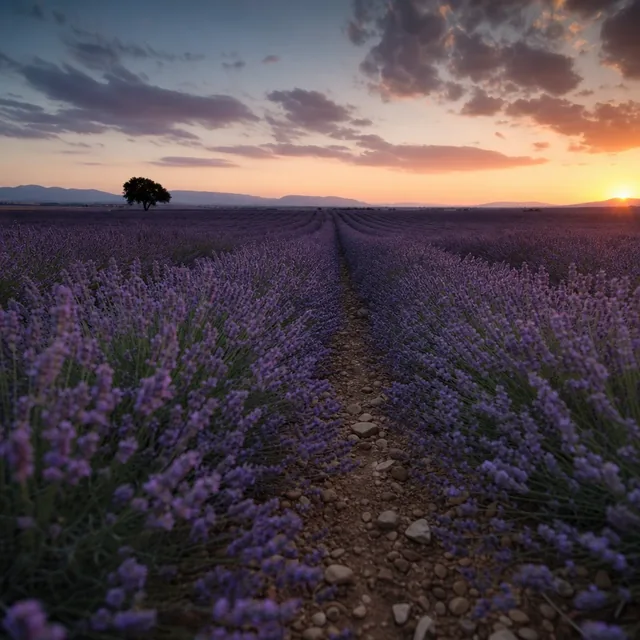




FRAME 05 / 07 - MIRROR
Google Drive
Every Published Collection becomes its own Drive folder. Edit and re-publish - the file updates in place. Client delivery without the export-rename-upload dance.
- Files update in place - no “final_v3(2).jpg”
- Big files upload in resumable chunks
- Only ever touches the files it creates
LIGHTROOM - “ANNA & TOM”
- anna-tom-014.jpg
- anna-tom-027.jpg
- anna-tom-051.jpg
- anna-tom-089.jpg
- anna-tom-112.jpg
DRIVE - /CLIENTS/ANNA-TOM
- anna-tom-014.jpg rev 1
- anna-tom-027.jpg rev 1
- anna-tom-051.jpg rev 1
- anna-tom-089.jpg rev 1
- anna-tom-112.jpg rev 1
FRAME 06 / 07 - EXHIBIT
Keptfolio
Publish your Lightroom galleries to a hosted, designed portfolio site. Pick a style, publish, you’re live - in minutes. Re-publish and it updates in seconds.
- Your galleries stay in Lightroom; the site follows
- A library of art-directed styles, light to dark - switch anytime
- Hosted for you - no site builder, no exports
- Also included: private client proofing and full-res delivery



FRAME 07 / 07 - GRADE
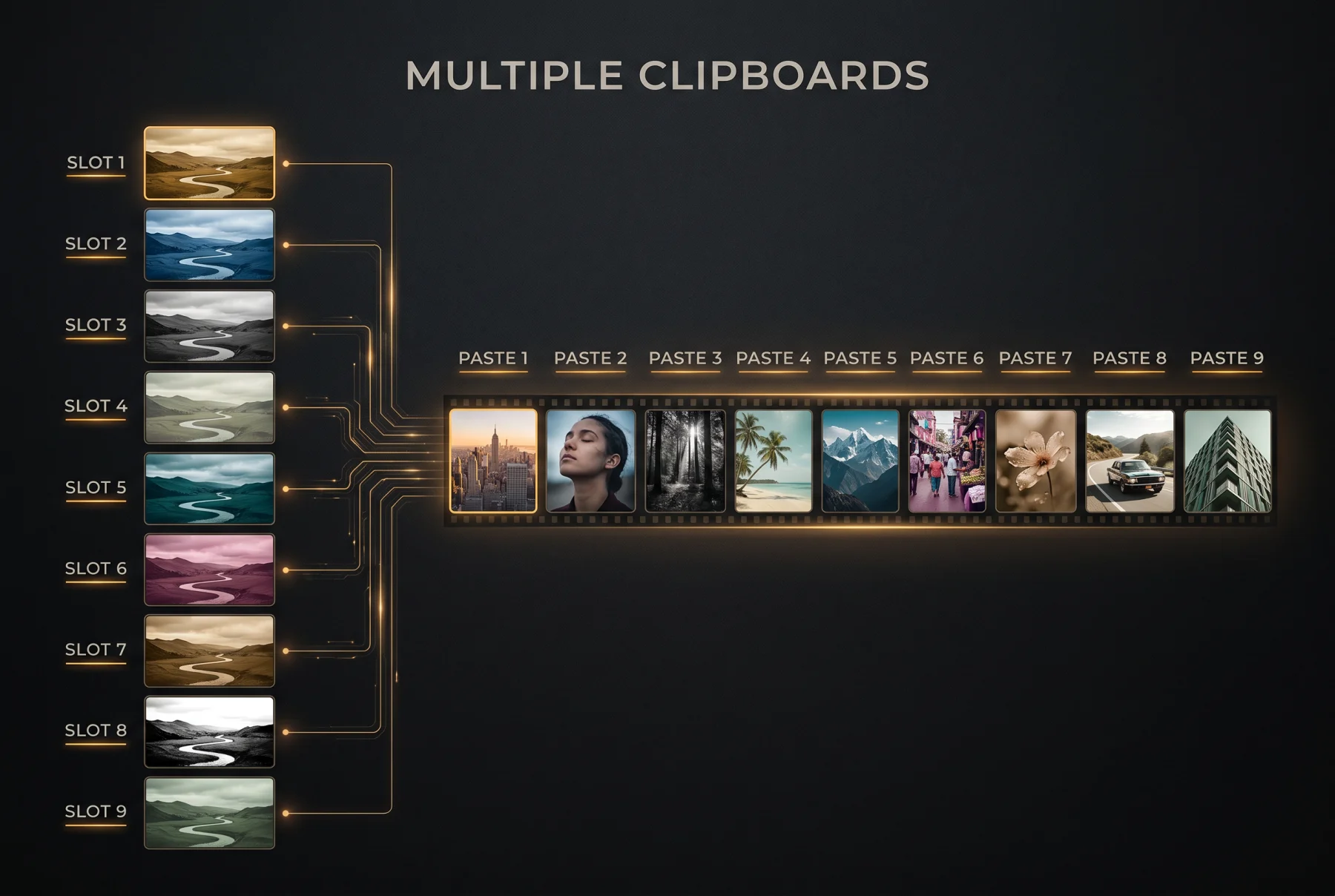
Look Slots
Nine develop clipboards instead of Lightroom's one. Hold a portrait recipe, a landscape recipe, and a B&W at the same time - paste any of them onto any selection, all day, without recopying.
- Copy with Lightroom's own checkbox dialog - down to individual masks
- AI masks re-segment on the photos you paste onto
- Optional hotkeys: a key for every slot (free helper, macOS)
FRAME 08 / 08 - CULL
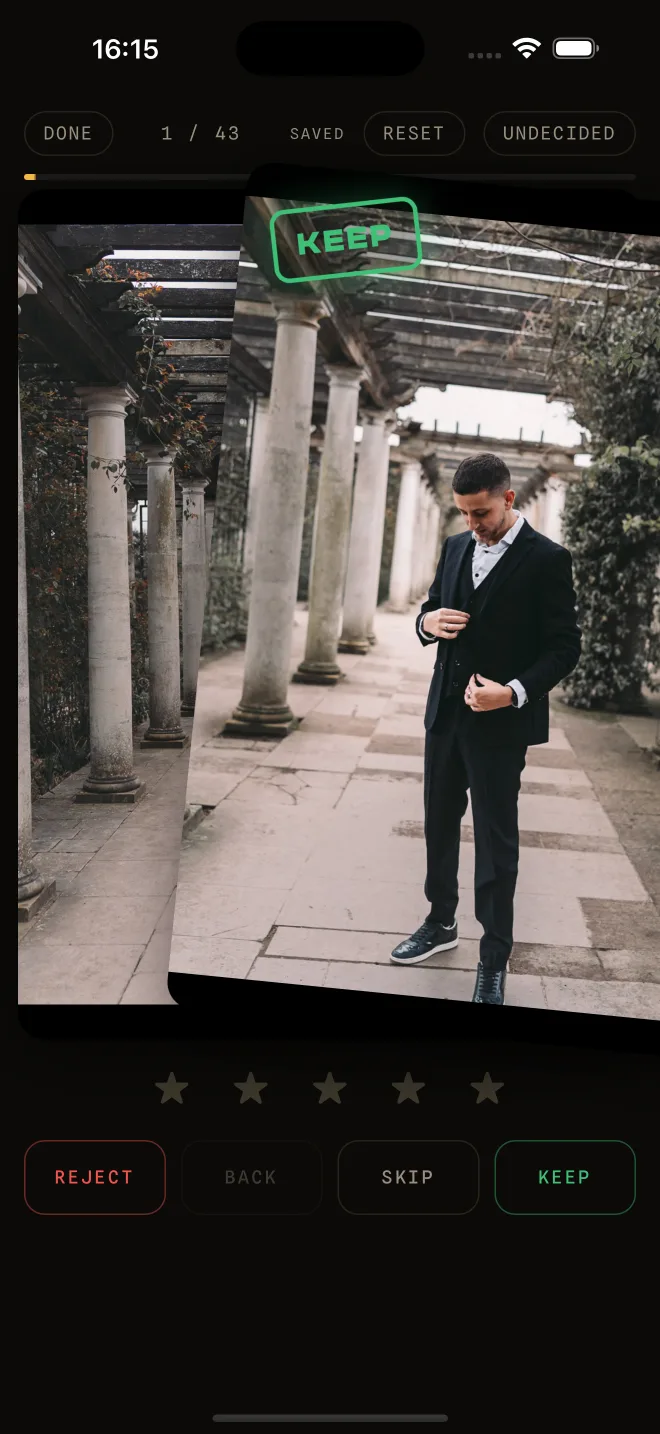
Thumbs
Culling is the job that keeps you at the desk. Send a shoot from Lightroom Classic to your phone, swipe it on the couch or at 30,000 feet, and every keep, reject and star lands back on the right photo in the catalog.
- No account and no password - Lightroom shows a six-character code, typed once
- Originals never leave your computer; only reduced previews travel
- Download a shoot over wifi and cull it in airplane mode - decisions sync back later
FRAME 09 / 09 - COMPOSE · NEW
Collage Studio
Select the photos, and the collage is already laid out - single pages, album spreads or a blog board, framed so nobody's face gets cut. Pick a size, save, and the finished pages land back in your catalog, rendered from your edited full-resolution files.
- Print-ready at the exact size, with bleed, in sRGB, Adobe RGB or Display P3
- Layouts that keep every photo whole, or crops framed around the people
- Reopen any saved collage and keep editing - add, swap, rearrange
LAUNCH PRICE UNTIL OCT 31 - $49 FROM NOV 1

THE REEL - EVERY FRAME AT SPEED
The plugins,
55 seconds.

CLICK TO PLAY - 55 SECONDS, MUSIC ONLY
UNDER THE SAFELIGHT - HOW THESE ARE BUILT
-
Nothing leaves.
The AI plugins run entirely on your machine. No upload pipelines, no cloud inference, no risk to a catalog you spent ten years building.
-
Pay once.
Most plugins are a one-time purchase - yours as long as Lightroom runs. Keptfolio ($69/yr or $7/mo) and Thumbs ($29/yr or $5/mo) run on servers, so they are subscriptions; cancel anytime and your work stays with you.
-
One developer answers.
Bug reports and feature requests come straight to the person who wrote the code. No ticket queue, no tier-1 script. A real reply.
I build these because I like the hard parts - the plugin SDK nobody reads, the edge cases nobody ships, the publish that has to survive a dropped connection. That is why there are several of them and not one.
FROM THE JOURNAL
Deep dives for
working photographers.
CONTACT
Questions?
A person answers.
Bug reports, Windows timelines, anything else - send a note and I’ll reply personally. Got a plugin or feature idea? There is a page for that.
Prefer email? Write to [email protected] - it reaches the same person, usually answered within a day.