How to plan your Instagram feed grid (by color flow)
Quick Answer
To plan an Instagram feed grid: pick your next 9 to 12 photos, lay them out in a 3-column preview (the layout visitors see on your profile), and order them so brightness and color flow smoothly from one row to the next. Plan at least 9 posts ahead so you catch clashes before anything goes live.
Photographers can skip the phone apps and plan straight from their edited Lightroom Classic catalog, then export the photos in posting order. No re-uploading compressed copies, no subscription.
Most Instagram grid planners are phone apps. You re-upload compressed copies of photos you already edited, drag them around on a small screen, and hope the export matches what you planned. I build a Lightroom Classic plugin that does the planning where your photos already live, so this guide is both the how and the why - from someone who had to work out what actually makes a feed look planned instead of random.
What is an Instagram feed grid, and why plan it?
Your profile shows your posts as a 3-column grid. When someone lands on your profile deciding whether to follow, they do not read individual captions first. They scan the grid as one image. Nine photos that each look great on their own can still clash as a set: a neon sunset next to a muted forest next to a high-key beach shot reads as noise.
Planning the grid fixes that. You decide the order before you post, so the feed reads as a deliberate body of work. For photographers, that is the difference between a profile that looks like a portfolio and one that looks like a camera roll.


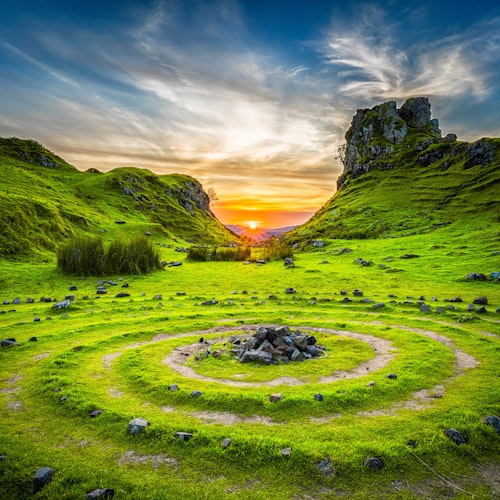
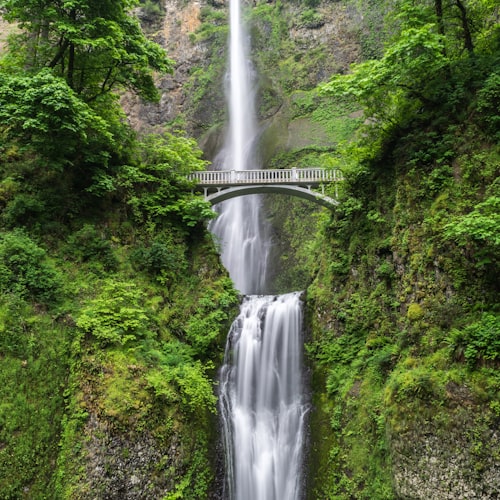

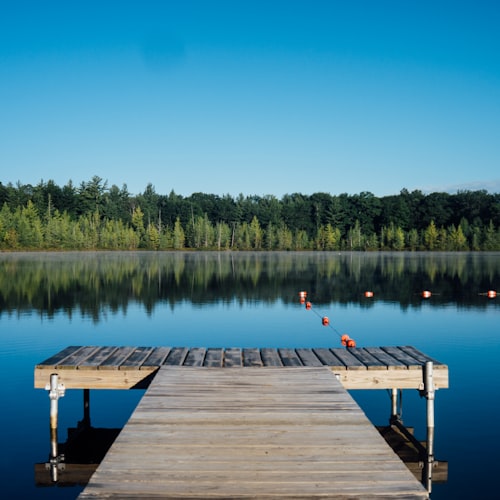
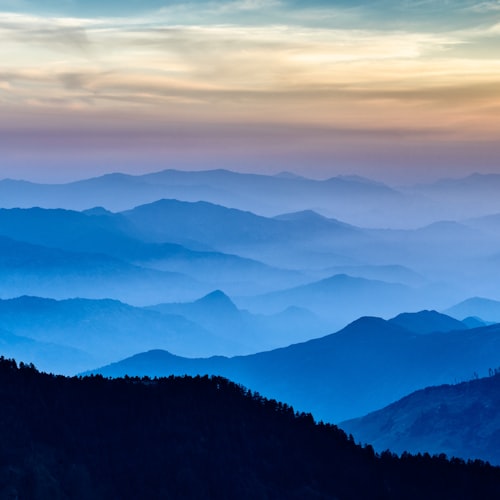
How many posts should you plan ahead?
At least 9 - three full rows. That is the minimum where a pattern becomes visible, because the grid is three wide and a single row of three does not show flow yet. If you post regularly, plan 18 to 27 ahead so the feed stays consistent for a few weeks at a time. Batch planning also means you are not scrambling for "what looks good next to yesterday's post" every single day.
How the grid reads (and the one rule most people get wrong)
Here is the mechanic that trips people up: every new post enters at the top-left, and every existing post shifts one place to the right and down. So the grid is always reshuffling as you post. You plan the final layout you want, then post in the order that lands each photo in its spot.
How your feed reads
Order you upload
New for 2026: Instagram now lets you reorder your grid after posting - long-press a post, tap "Reorder grid," and drag it where you want. That takes the pressure off uploading in perfect reverse order: if something lands in the wrong spot, you drag it into place instead of deleting and re-posting. What it does not do is decide the order for you. You still have to know which sequence actually flows, and nudging 20-plus tiles around by eye on a phone is the slow, fiddly part. Plan the sequence once, up front, and it lands right whether you post in order or reorder afterward.
And the rule most guides bury: consistent brightness matters more than color. A grid where some photos are dark and moody and others are bright and airy looks disjointed no matter how well the colors match. Even exposure across your posts is the single biggest lever for a feed that looks intentional. Get brightness consistent first, then worry about color.
Consistent brightnessReads as one planned set
Mixed brightnessReads as random, even matched colors
The color-flow method (the one that suits photographers)
Color flow means ordering your photos so the dominant colors transition smoothly across the grid, like a slow gradient down the page. It is the most forgiving pattern for photographers because it works with varied subjects - you are sequencing by tone, not forcing every shot into a theme. It suits travel, lifestyle, portrait, and landscape feeds especially well.
It is not the only pattern. Here are the ones that hold up:
| Pattern | How it works | Best for |
|---|---|---|
| Color flow | Dominant colors transition smoothly across rows | Photography, travel, lifestyle |
| Checkerboard | Alternate two tones or two content types | Mixed content, quotes plus photos |
| Row by row | Each row of three is a mini-set | Series, before-and-after, stories |
| Column | Each vertical column holds one type | Brands with set content pillars |
| Puzzle | Several posts combine into one big image | One-off launches, splashes |
For most photographers I would start with color flow plus consistent exposure. It looks planned without locking you into a rigid template you have to maintain forever.
How to plan and export an Instagram grid from Lightroom Classic
Your edited photos already live in Lightroom. So instead of exporting them, re-importing to a phone app, and re-compressing, you can sequence the grid right in the catalog:
- In the Library module, gather your candidate photos into a collection or Quick Collection.
- Order them by color flow - drag them so dominant colors move smoothly across each row of three. Keep an eye on brightness as you go.
- Preview the sequence three across, the way the grid will actually look.
- Export in feed order, with a sequence number in the filename so you post them in the right order.
That manual version works. The part that is tedious is the color sequencing and getting the export numbering right (Instagram shows your newest post first, so the order you upload in is the reverse of how the grid reads top to bottom). That is exactly what the Instagram Grid Planner plugin automates: it sequences your selected photos into a 3-up feed grid by color flow and exports them numbered in posting order, so you just upload them in sequence. It is a one-time $19 plugin (Apple Silicon Mac), and like any plugin you add it through the Plug-in Manager - here is how to install a Lightroom Classic plugin if you have not done that before.
Common grid-planning mistakes
- Planning only three to six posts. Too few to see the pattern. You need three full rows before flow is visible.
- Optimizing color but ignoring brightness. The most common reason a "color-coordinated" feed still looks off.
- Forgetting the thumbnail crop. Instagram crops your posts for the grid view, so preview the crop, not just the full image.
- Posting out of planned order. If you do not number your exports, the careful sequence falls apart when you upload them in the wrong order. Instagram's reorder-grid tool can rescue it after the fact, but numbered exports mean you rarely have to.
Frequently asked questions
Do I need an app to plan my Instagram grid?
No. Any 3-column preview of your next posts is enough. Phone apps add scheduling and captions, but photographers can plan the look straight from their edited Lightroom catalog and post manually.
How many photos should an Instagram grid plan have?
At least 9 (three full rows), because the pattern only becomes visible across rows. Many creators batch 18 to 27 so the feed stays consistent for weeks.
Does the order I post in matter?
Less than it used to. Each new post still enters at the top-left and pushes the others one place right and down, so posting in sequence lands the grid right the first time. But as of 2026 Instagram lets you reorder your grid after posting - so you can also post freely and drag posts into place afterward. Either way you need to know the sequence you are aiming for, and that is the part planning solves.
What makes an Instagram feed look cohesive?
Consistent brightness first, color flow second, a repeating pattern third. A feed with mixed dark and bright photos looks disjointed even when the colors match.
Can I plan an Instagram grid in Lightroom Classic?
Yes. Sequence your candidate photos by color and export them in posting order. The Instagram Grid Planner plugin automates the color-flow sequencing and the export numbering.
Want the color-flow sequencing done for you? The Instagram Grid Planner plugin arranges your selected Lightroom photos into a 3-up feed grid by color and exports them in posting order. One-time $19, no subscription.
Get the Instagram Grid Planner - $19